Hand your phone to friends without holding your breath. Vault Pro protects your personal media, documents, and passwords behind military-grade encryption.
Status
Vault Locked
39 Ratings
3.7
Ages
16+
Years
Category
Utilities
Developer
NewSoftwares.net
Language
EN
+ 5 More
Size
30.6
MB
Up to six family members can use this app with Family Sharing enabled.

Vault Pro app has a user-friendly interface, new & improved features and is superior in overall functionality. It locks your personal files, folders, photos, videos, audio files, documents, wallet cards, notes and every other kind of data that needs to be secured. Moreover, you can backup your safeguarded information on the cloud. Finally, the app has additional security features which prevent unauthorized access.
Powerful and effective password-protection for your photos & videos.
Lock down your confidential documents and audio files to ensure their privacy.
Write secret notes, your secret thoughts and ideas remain secure.
Securely save your credit card, banking and other financial details.
Backup all your safeguarded data on the cloud in a matter of seconds.
Lock down personal apps on your smartphone to maintain your privacy.

Keep your massive media collections tidy. Create custom folders and sub-folders within the vault to organize your photos, videos, and documents easily.
Enjoy your hidden photos and videos using the built-in, high-definition secure media viewer without leaving any cache trace on your device.

Your privacy extends beyond pictures. Securely import and encrypt PDFs, Word documents, and confidential voice memos directly into the vault.

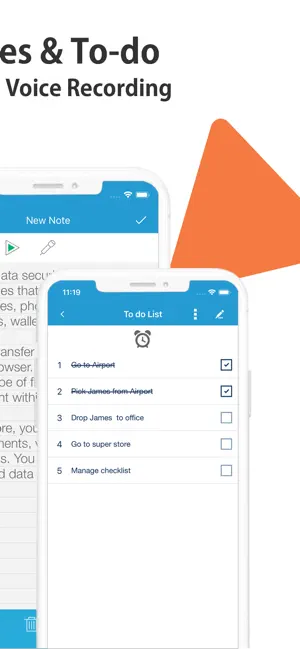
Use the fully integrated rich text editor to securely draft business plans, diaries, or passwords without leaving the secure environment.
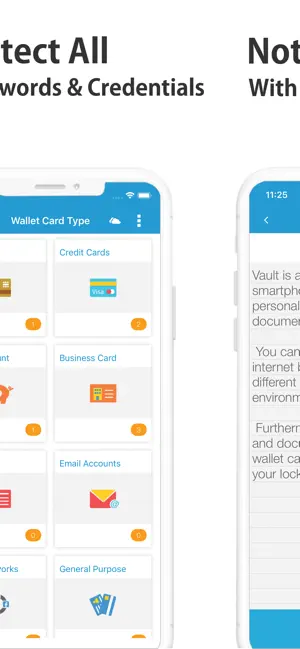
Digital protection for physical cards. Store your credit card details, IDs, and driver's licenses securely using our predefined templates.
Never lose data. Sync your encrypted files securely to your own personal Dropbox or Google Drive.

Take control over your device by password-protecting social media and messaging apps.

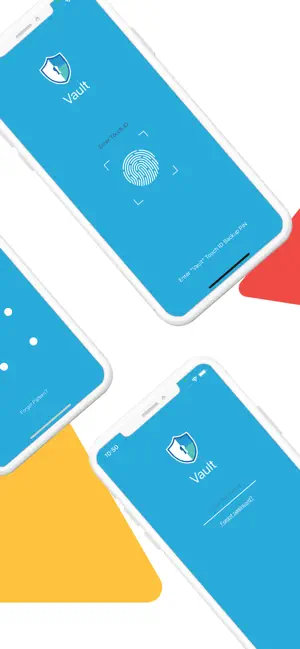
Choose your preferred level of security. Set up a secure alphanumeric Password, a quick 4-digit PIN, or a swipe Pattern to protect your vault credentials.
Our advanced gating logic prevents your sensitive photos from being indexed by device search or cached in system snapshots. Your media stays in the vault.
Unlike typical gallery apps that sync unencrypted photos to the cloud, Vault Pro guarantees data sovereignty.
Lock screens protect against strangers, not friends who borrow your phone. Secondary app gating prevents internal device snooping.
Hiding is not securing. If a file isn't encrypted, a system search will find it. Vault Pro encrypts data so it remains gibberish even if accessed.
You select a sensitive photo or video from your public gallery to import into Vault Pro.
The file is instantly encrypted using military-grade algorithms. It becomes unreadable to other apps.
The original unencrypted file is securely deleted from your public gallery, leaving no traces behind.
How Vault Pro protects you in situations where a standard lock screen fails.
You unlock your phone to show a friend a funny meme, but they start swiping left and right through your gallery.
Someone demands you unlock your Vault app to show them what you're hiding inside.
Your phone is lost or stolen, and a bad actor connects it to a computer to manually extract files.
Are you utilizing Vault Pro to its full potential? Complete these steps for maximum privacy.
Use Face ID or Touch ID for the fastest, most secure access.
Automatically catch anyone trying to guess your password.
Create a secondary PIN that opens a fake, safe gallery.
Ensure your encrypted files are safe even if you lose your phone.
4.6 out of 5 on the App Store
"I love that I can set a decoy password just in case someone asks me to open the vault. Highly recommend for keeping personal photos safe. The interface is clean and super easy to use."
— PrivacyPro99
"Face ID integration works flawlessly. I don't have to worry about anyone swiping through my camera roll anymore when I hand them my phone to show a specific picture."
— PhotoSnapper22
"I tried a few others but they had annoying ads or required subscriptions for basic features. This one is solid and local encryption gives me total peace of mind for my documents."
— TechSecure_1

A step-by-step guide to keeping your sensitive iOS information away from prying eyes.

Learn why client-side encryption is the gold standard for data protection.

Advanced methods for staying anonymous and keeping your private life private.